
Before You Add Another Lead Form: A Kenyan Business’s Website Privacy Checklist
A practical checklist for collecting enquiries on a Kenyan business website: ask only for what you need, explain why, separate replies from marketing and plan how information is stored and removed.
UniqueTechCamp Editorial
Digital Services Team • UniqueTechCamp Engineering Unit
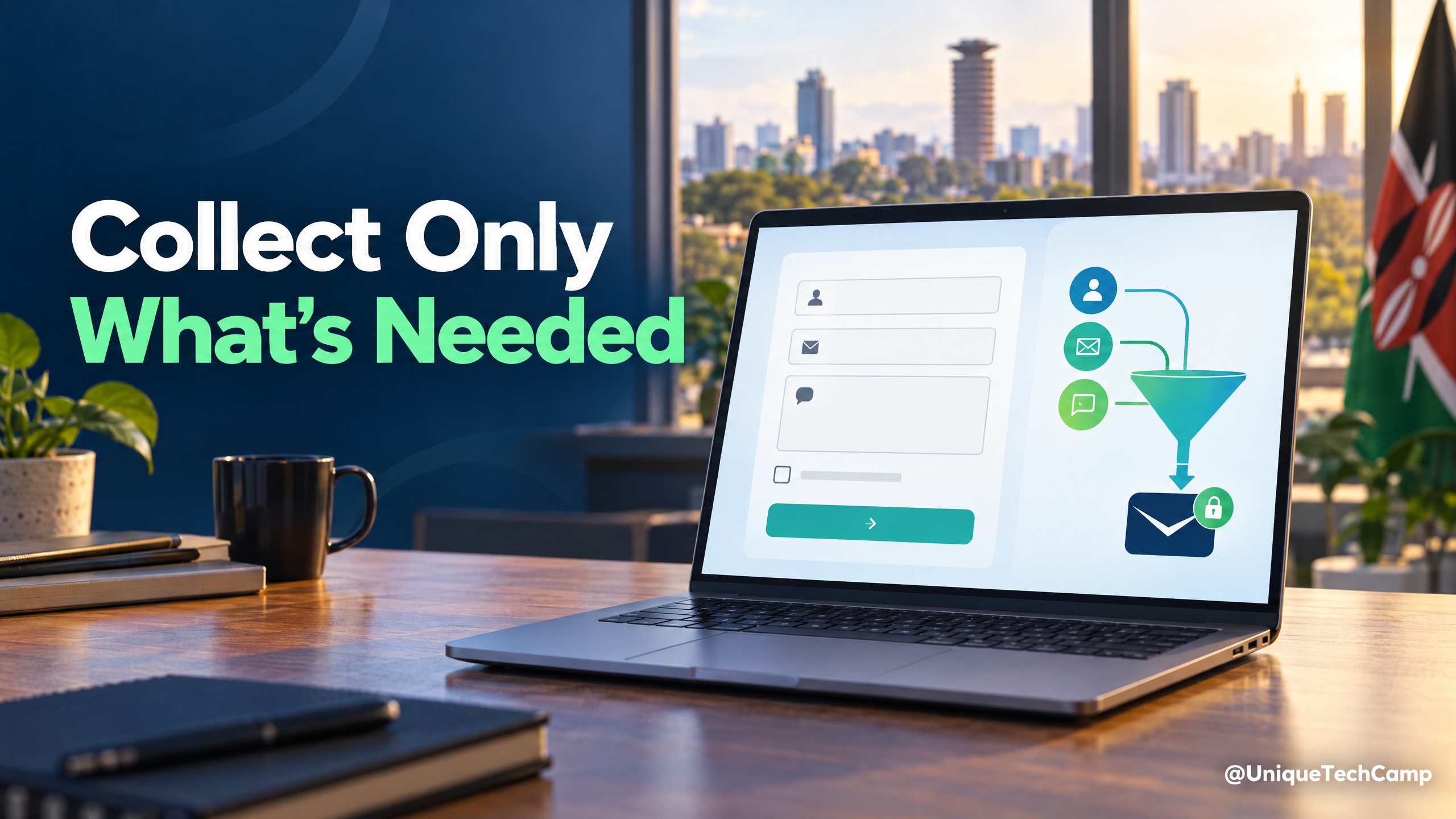
A website enquiry form is the start of a data journey. A name and phone number may land in an email inbox, a customer-management system, an analytics tool and a staff member’s phone. If nobody has mapped that route, a team can collect more than it needs—or make promises on the form that its follow-up process does not keep.
For Kenyan organisations, the Office of the Data Protection Commissioner’s Personal Data Protection Handbook summarises core principles such as purpose limitation, data minimisation, storage limitation, security and accountability. The Data Protection (General) Regulations, 2021 also set conditions for using personal data for direct marketing, including telling people that marketing is a purpose, obtaining consent, offering a simple way to opt out and respecting an opt-out. This is an operational checklist, not a substitute for advice on your particular processing.
1. Trace what happens after “Send”
Write down each step: which fields are collected, where the submission goes, who can see it, which tools receive a copy and how a salesperson follows up. Include website hosting, email, CRM, analytics, form plugins and any messaging integrations. Confirm which suppliers process data for your organisation and what access they need. This map often reveals an old spreadsheet export or a shared inbox that nobody remembered.
2. Collect the next useful detail—not every possible detail
For an initial callback, a name, one contact method and a short description may be enough. Ask for a budget range, identity number, health detail or extensive project brief only when there is a clear reason at that stage. The ODPC handbook describes data minimisation as limiting personal data to what is necessary for the stated purpose. A shorter form is also easier to complete on a phone.
3. Keep service replies separate from marketing permission
Someone asking for a quotation expects a response about that request; that does not automatically tell them what newsletters, promotional messages or sales campaigns they will receive later. State the marketing purpose plainly and make any marketing choice separate, optional and affirmative. Do not preselect it. If a person opts out, make sure the preference reaches the email, SMS or CRM tool that sends campaigns, not just the website form.
4. Put the explanation beside the form
Use a short notice near the submit button and link to the fuller privacy information. In everyday language, explain who is collecting the information, what the team will do with it, whether it will be shared with service providers, how long it is generally kept, and how a person can ask questions or exercise their rights. Avoid a broad promise such as “we may use your data to improve services” if the actual plan is to send offers.
For support beyond the privacy notice, explore UniqueTechCamp as you plan the wider website and lead journey.
5. Assign an owner for access, retention and clean-up
Choose who handles form submissions and who removes access when staff change roles. Set a review point for enquiries that did not become customers, and document when records should be deleted or anonymised under your retention policy. Keep only the information needed for an active relationship or another defined requirement; do not let an unowned inbox become a permanent archive.
6. Test the whole journey
Submit a test enquiry and check the confirmation message, staff notification, CRM record and any marketing subscription. Confirm that a service reply can be sent without a marketing opt-in, and that an unsubscribe is honoured in every campaign system. Use a test record rather than a real customer’s information.
A useful success measure is not simply “more form fields completed.” Track whether suitable enquiries receive a timely, relevant response, while checking that the form collects only what the team can explain and protect. If the form handles sensitive information, profiling or a complex cross-border data flow, get a qualified privacy professional to review the design before launch.
Turn the checklist into a small, testable data register
The most useful next step is to turn the journey map into a simple register that someone can review. For each field, record its purpose, whether it is required, the system that receives it, the people or suppliers who can access it, the retention rule and the deletion method. Keep the register about the real journey rather than the ideal one: include notification emails, CRM automations, exported spreadsheets, WhatsApp hand-offs, backups and test accounts.
Use the register to ask a practical question: if the business stopped collecting this field tomorrow, which stated service would become impossible? If the answer is “none”, remove the field or make the reason for it more specific. The ODPC Personal Data Protection Handbook is a useful reference for applying purpose limitation, data minimisation, storage limitation, security and accountability to that review. It is guidance for designing a defensible process, not evidence that every website has identical legal obligations.
Do not treat a privacy policy as the register itself. A visitor needs a concise explanation; the team needs an operational record detailed enough to answer where a submission went. Keep both aligned. When a form, CRM or analytics setting changes, update the register and the nearby form notice together.
Make the form’s choices understandable
A good notice answers the questions a person is likely to have before pressing “Send”. Who is collecting the information? Which details are needed to respond? Will a supplier host, deliver or analyse the submission? Will the business use the contact details for marketing? How can the person ask about their information or change a preference? Use the same wording in the form notice, confirmation message and full privacy information so that the journey does not quietly change after submission.
Keep optional purposes visibly separate from the requested service. A checkbox for “send me marketing” should not be hidden in a paragraph or bundled into acceptance of the enquiry. The Data Protection (General) Regulations, 2021 sets out conditions concerning direct marketing, including informing people that marketing is a purpose, obtaining consent, providing a simple opt-out and respecting that choice. Record the version of the wording and the time of the choice, not merely a field saying “yes”.
Be careful with language that sounds more definite than the process. “We will reply within one business day” is a service commitment that needs an owner and a way to monitor it. “We never share your information” is unsafe if an email provider, CRM, hosting company or messaging service receives the submission. Say what the organisation actually does, and qualify statements where the route depends on the service selected.
Reduce exposure in inboxes, dashboards and devices
Privacy work does not end when a form has HTTPS. Give staff access only where their work requires it, use individual accounts rather than a shared password, and remove access promptly when a role changes. Check who can export the CRM, view notification emails, download backups or connect a personal device. If a supplier provides the form, email, CRM or messaging layer, document the access it has and review the contractual and technical arrangements rather than assuming the logo on the tool is a compliance decision.
Protect the submission while it travels and while it is stored. Use current transport security, keep software and form components updated, and avoid putting full enquiries into URLs, page titles, analytics event names or public error messages. Redact unnecessary personal data from logs. Do not put identity numbers, medical details or other sensitive information into an ordinary “message” box simply because the field accepts free text; if the service genuinely needs such information, design a separate process with appropriate professional review.
The OWASP Application Security Verification Standard provides a recognised basis for testing web-application technical controls. Ask the developer to verify, at minimum, that submitted values are handled safely, access controls prevent one staff member or customer seeing another person’s record, secrets are not exposed in client-side code, and security-relevant events can be investigated. A checklist is strongest when each item has an owner, a test and a date rather than a tick with no evidence.
Plan requests, corrections and deletion before they arrive
A person may ask what information the organisation holds, request a correction, object to a use or ask for a marketing preference to be changed. The form should therefore capture enough context to locate a submission without collecting an unnecessary second identity profile. Decide which inbox receives privacy questions, who verifies the requester safely, how the request is recorded and when it is escalated. Do not promise an outcome or deadline unless the organisation has checked the applicable Kenyan requirements and can meet it.
Deletion also needs a practical map. Removing a CRM record may leave a notification email, an exported spreadsheet, a support ticket, a backup or a campaign suppression record. Those copies may have different operational purposes and retention rules, so document how the organisation handles each one. A suppression list can be necessary to ensure that someone who opted out is not re-added to marketing; deleting every trace without understanding that control could recreate the problem. This is why “delete the lead” should be a tested procedure, not a button that nobody has inspected.
Set review points rather than inventing a universal number of months. An enquiry that is still being fulfilled is different from an abandoned quote, a fraud investigation or an accounting record. Record the reason for retaining information, the event that ends that reason and the action taken afterwards. The Kenya Data Protection Act, 2019 should be read alongside current ODPC material and the organisation’s particular circumstances when setting those rules.
Test failure paths, not just the happy path
Run a small privacy and security test before launch and after material changes. Submit a harmless test record, then follow it through the confirmation page, email, CRM, dashboard, automation and deletion workflow. Check that a person who declines marketing can still request a service response, that an empty or malformed value produces a useful error, and that a user cannot alter a record identifier to view someone else’s enquiry. Test on a phone as well as a desktop, because rushed forms encourage people to paste information into fields that were never meant to collect it.
- Confirm that the notice is visible before submission and that its link opens the current privacy information.
- Check that optional marketing is not preselected and that an opt-out reaches every campaign tool.
- Verify that staff see only the fields and records needed for their role.
- Inspect email subjects, analytics events, logs and URLs for unnecessary personal data.
- Record the test result, owner, date and follow-up action; then remove the test record from every intended location.
Keep a short incident route beside the form owner’s details. If a submission is sent to the wrong recipient, exposed in a public dashboard or downloaded to a lost device, staff should know whom to tell, what evidence to preserve and which access to suspend. Do not wait for a perfect investigation plan: a clear first report and prompt containment are better than an informal message that disappears in a busy chat.
A proportionate pre-launch decision
For a basic enquiry form, the result may be a short notice, a small register, limited staff access, a documented supplier route and a tested retention and opt-out process. More caution is appropriate where the form collects children’s information, health details, identity documents, financial information, precise location, large-scale profiling or information that will move across borders. In those cases, pause the launch and obtain qualified privacy and security advice for the actual design.
The aim is not to make a small Kenyan business operate like a bank. It is to make the promise on the page match the journey behind it. A form that asks fewer, explainable questions; routes them to accountable people; separates service from promotion; limits access; and has a tested clean-up path is easier to trust and easier to improve. Review it whenever the business adds a new field, supplier, automation or marketing purpose—not only when the website is redesigned.
If you are changing a website or lead workflow, ask the team building it to trace one test submission from the page through every inbox and system. That small walkthrough makes privacy responsibilities visible before the form starts collecting real enquiries.
To discuss a privacy-aware enquiry form or broader website workflow, visit UniqueTechCamp.
Deploy An Autonomous AI Lead Gen System Today
We engineer high-converting web applications with integrated 24/7 WhatsApp qualification bots and multi-channel follow-up drips.
Related Strategy Articles

From Product Inquiry to Paid Order: A WhatsApp + M-Pesa Journey for Kenyan Retailers
WhatsApp M-Pesa order flow for Kenyan retailers: check stock, confirm the order, verify payment and fulfil delivery with clear hand-offs.
Your Business Email Isn’t Getting Through? Start With SPF, DKIM and DMARC
A practical domain-email checklist for Kenyan and global businesses: inventory every sender, configure authentication, make opt-outs work and monitor the right delivery signals.

WhatsApp Sales Automation in Africa: From Casual Chats to High-Ticket Closings
In emerging markets, commerce moves on WhatsApp. Learn how integrating official WhatsApp API automation with your web storefront yields a 98% message open rate and eliminates sales delays.

UniqueTechCamp Desk
Online • Reply < 5 mins