
WhatsApp Automation Without Spam: Opt-In, Message Timing and Human Handoffs for Kenyan Businesses
WhatsApp automation in Kenya without spam: record opt-in, manage service windows, honour opt-outs and route complex cases to a person.
UniqueTechCamp Editorial
Lead Systems Architect • UniqueTechCamp Engineering Unit
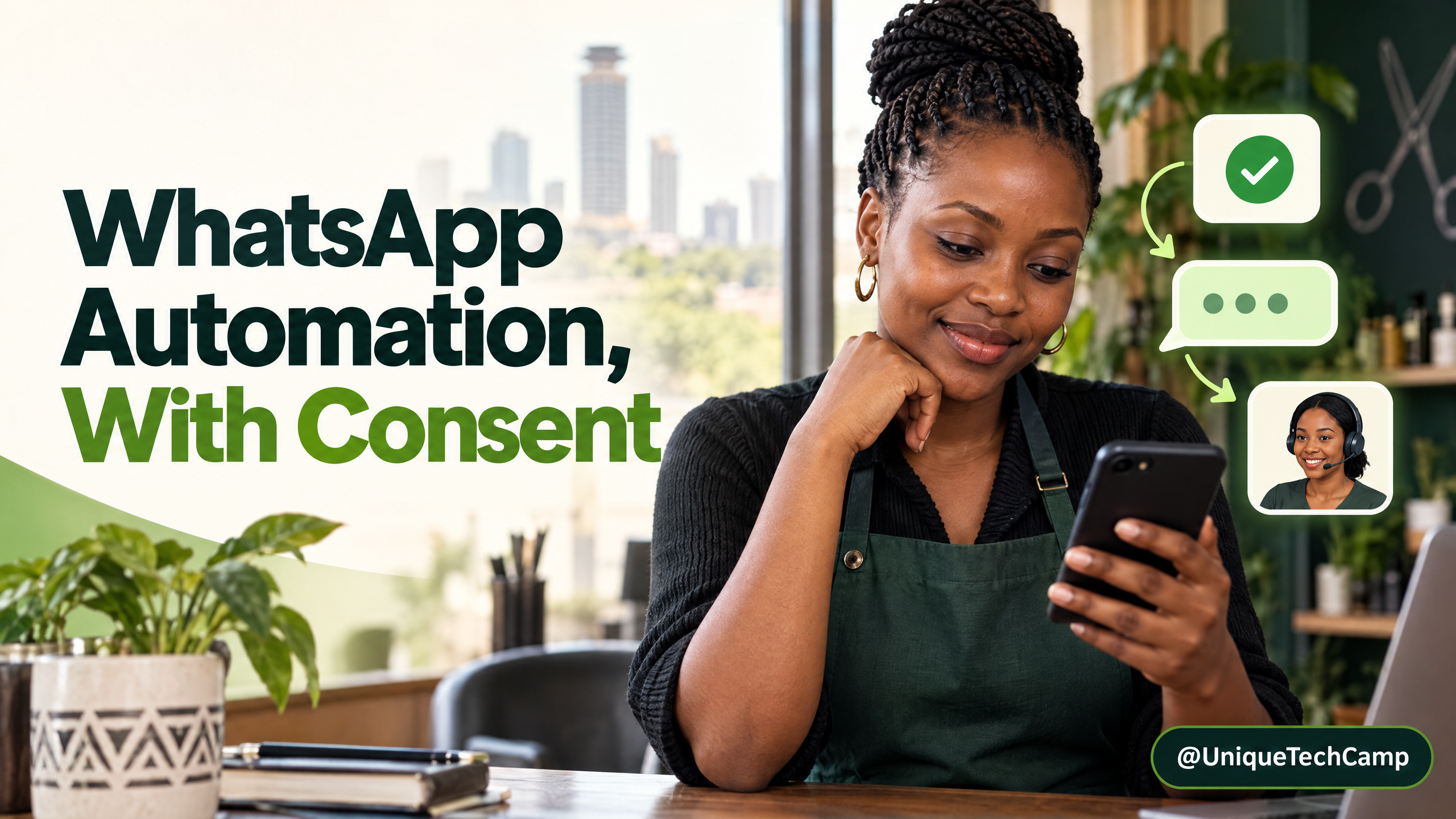
A WhatsApp chatbot can sound polite and still feel like spam. It sends a quote reminder after a customer has booked, continues after someone asks it to stop, or keeps prompting an unanswered person to reply. The fix is not simply warmer wording. Permission, timing, suppression and human responsibility have to be part of the workflow.
The earlier WhatsApp sales-automation guide covers the broader buyer journey. This companion asks a narrower question: can the system explain why it sent a message, stop queued work after a booking or objection, and hand control to an accountable person? It turns current platform rules into operational controls. For WhatsApp automation in Kenya, success means an expected, useful message with a clear owner. The examples apply to the WhatsApp Business Platform API; the separate Business App has different capabilities and billing, but still requires careful consent and privacy practices.
 covers the broader buyer journey. This companion asks a narrower question: can the system explain why it sent a message, stop queued work after a booking or objection, and hand control to an accountable person? It turns current platform rules into operational controls. For WhatsApp automation in Kenya, success means an expected, useful message with a clear owner. The examples apply to the
Start with a permission record, not a phone list
Meta's opt-in guidance requires a number or username and permission before subsequent contact, with the business identity and purpose made clear. Kenya's General Regulations require direct-marketing consent, notice of the purpose and a simple opt-out; objection to direct marketing is an absolute right. A booking enquiry or invoice number is not permission for promotions. This is an operational summary, not legal advice.
As a practical default, keep service updates and promotions distinct. Offer an optional, unticked choice for offers; a booking form may separately ask for updates about that booking. Identify the business, message type and opt-out route. Do not make marketing consent a condition of receiving a quote or service.
Make the reason auditable. Store the collection source, timestamp, wording or version, purpose or category, active or withdrawn state, and any stop request. Keep evidence with the consent record and track the last inbound message separately. Limit access and set an appropriate retention period. A partner spreadsheet or invoice phone number is not proof of marketing permission.
Model the conversation as states, not a timer
Build the send decision around the customer's current state. A useful flow has a few explicit states, with a final check immediately before any message leaves the system:
- No permission for a business-initiated message: do not add the person to a promotional sequence. Ask for the relevant permission at a clear point of choice, or wait for the customer to start the conversation.
- Active service conversation: a user message or call opens a 24-hour customer-service window, and a further user message or call resets it. The message documentation describes when businesses may respond with free-form service messages. Keep those replies relevant to the enquiry; the window is not a licence to switch into an unrelated sales pitch.
- Window closed: a business-initiated message outside the service window needs an approved template and an appropriate opt-in. Re-check the message's category and the recipient's current permission before sending; do not assume a template approval makes every recipient eligible.
- Opted out or blocked: suppress promotional messages, including ones already queued. Record the request and prevent a later import or automation retry from silently re-enrolling the person.
At delivery, run a deny-first check: stop if the person is suppressed; confirm the opt-in covers this purpose; read the latest inbound timestamp; choose a permitted reply or approved template; validate the template status and category; then deliver. Store the result and reason in an audit log. Use a server-side timestamp and re-evaluate at send time, not only when work is queued. An opt-out or completed booking between scheduling and delivery should cancel the send. An idempotency key should prevent a webhook retry from creating a duplicate. If a required field is missing, block the message and route the record to a person instead of defaulting to marketing.
Choose a cadence that follows the customer's need
Cadence should follow the action and the expectation set at collection, not an arbitrary drip schedule. An appointment confirmation, delivery update and sales follow-up are different tasks. Tell people what they will receive and, where possible, let them choose the channel or frequency that suits them.
For a quote enquiry, an acknowledgement can confirm that the request reached the team and say when a person expects to respond. A later check-in should be tied to the customer's request and the permission you recorded, not fired repeatedly because there has been no reply. If the person answers, books, buys, cancels or asks you to stop, suppress the old follow-up path and update the next step. Do not treat silence as fresh permission.
For a booking, send only the updates that help the person attend or change the booking. A reminder that also adds a discount or cross-sell is no longer simply an operational notice: Meta's template-categorisation guidance says mixed promotional and utility content is treated as marketing. Keep the booking notice clean, and send an offer only to people who have agreed to receive marketing.
Set quiet-hour and frequency rules that fit the service and the customer's stated preference. Prevent two tools from sending the same reminder: if the booking system and chatbot both fire, the customer experiences the combined messages, not the software teams that created them. Give one staff owner responsibility for reviewing the schedule and pausing it when an operational issue makes a message misleading. Define an event map for each journey: the trigger (such as a booking created or order dispatched), the approved message, who owns the source event, and the events that cancel it. If both a CRM and booking tool can trigger the same reminder, choose one source of truth and deduplicate the other. A schedule should be explainable to a staff member without opening the automation builder.
Make a human hand-off real
Automation must not trap a person in a loop. WhatsApp's Business Messaging Policy requires a prompt, clear and direct human-support path when automation is used. A “Talk to a person” button that returns the user to the bot is not a hand-off.
Transfer control on a request for a person, complaint, ambiguous intent, payment dispute, unverifiable answer or specialist topic. Assign a named queue and owner for each staffed period. State the realistic response time; when the desk is closed, say when it reopens instead of claiming someone is available now.
When a hand-off occurs, pause the bot, pass a short relevant summary and mark who owns the next reply. Share only what is needed to resolve the query; the customer should not have to repeat the whole story, and the agent should not see unrelated personal details by default.
Represent the hand-off as a case, not a notification that can be forgotten: record the trigger, arrival time, queue, assigned owner, promised response window, last customer question and current status. Keep statuses simple, such as new, claimed, waiting for the customer and resolved. If the response window is missed, escalate to a supervisor or send a truthful update; do not let the bot restart a sales sequence to hide the queue backlog.
Mapping the consent state, customer journey and staff queue before choosing a chatbot or CRM makes implementation more accountable. For a business scoping that work, the UniqueTechCamp AI Solutions Desk can help map the flow and the points where staff must take over.
Budget for delivered messages and the service around them
The WhatsApp Business Platform is an API-based product; it is not the same thing as installing the separate Business App. On the Platform, Meta says it charges for a business-to-user message when it is delivered, not merely sent, and the rate depends on the message category and the recipient's market. Messages sent by the user to the business are not charged by Meta. A provider may also charge for its software or services, so ask for those items separately.
Check pricing rather than repeating an old “free replies” assumption. Meta's developer pricing documentation, updated on 30 September 2026, says its 1 October 2026 changes include utility templates sent in an open customer-service window moving to the regular pricing type. It lists published rates for service messages, plus a monthly service-message free tier per business phone number and free-entry-point exceptions. The separate public pricing page still says service messages and utility replies in the window are not charged. Those first-party pages do not align, so do not promise that every reply in a service window is free.
Before launch, confirm the current rate card for the recipient market and the billing currency on the actual messaging account, then ask the provider how its invoice separates Meta charges, platform fees, integrations, hosting, support and one-off setup. A useful forecast is: delivered outbound messages by category multiplied by the current market rate, plus provider and CRM fees, build and maintenance, staff time, and the cost of reviewing failed or escalated conversations. Model a normal month and a busy month from your own expected traffic; do not use a global price as a Kenyan quote.
Meta's current developer rate-card guidance is the place to check category and market rates; the public pricing overview can be useful for orientation, but resolve the discrepancy before committing to a forecast.
Apply Kenyan privacy rules to the whole workflow
Consent records and suppression lists are personal data. Under the Data Protection Act and related regulations, keep the purpose clear, collect only what is needed, restrict access and set a retention rule. Preserve a minimal suppression record so a later CRM import cannot re-enrol someone who opted out; do not retain full chat transcripts by default.
If a bot may receive health, identity, payment or other sensitive details, decide in advance whether WhatsApp is the right channel and how the information will be protected. A bot should not invite someone to send a full card number, password or identity document in ordinary chat. Route sensitive or uncertain cases to an appropriate human process. The ODPC Data Protection Handbook is a practical starting point for data minimisation, retention, security and accountability.
Test the failure cases before switching on
Run the flow on a real phone with the staff member who will own it. Do not stop after the ideal customer journey works. Test what happens when permission is missing, the timer expires, the system retries or a person asks to stop:
- No marketing permission: import a test contact with a phone number but no marketing opt-in. The campaign should not send, even if the contact has purchased before.
- Limited purpose: record permission for booking updates only. Confirm the person is excluded from a promotional campaign and from unrelated nurture messages.
- Open service window: send a test enquiry from a phone and check that the reply is relevant to that request. Confirm the clock resets only when the customer messages or calls again.
- Window expires in the queue: schedule a response, let the window close before delivery and confirm that the system blocks a free-form message. Use an approved, correctly categorised template only when the purpose and permission allow it.
- Mixed content: add a promotion to a test booking update. Check that the team recognises it as marketing, rather than labelling it utility to reduce cost.
- Opt-out during a queued send: submit “stop” while a message is waiting. The send should be cancelled, the suppression state saved and later retries blocked.
- Human request or complaint: ask for a person. The bot should pause, route the case to the named queue and set a realistic expectation, including outside operating hours.
- Duplicate event: replay the same delivery or inbound event. The customer should not receive a duplicate acknowledgement or follow-up.
- Timezone boundary: place a test message near the end of the 24-hour window and confirm that the server-time conversion does not keep it open too long or close it early.
- Template status change: pause or reject a test template after a send is queued. The system should block delivery, not substitute an unapproved free-form message.
Keep a record of each test, the expected result, what actually happened and who fixed any failure. After launch, review opt-outs, complaints, duplicate sends, unanswered hand-offs, human response time and completed bookings or service requests over a defined period. An open or read indicator alone does not prove that a message was welcomed or that automation helped.
Give each measure a denominator and a review owner: for example, opt-outs per delivered promotional message, duplicate sends per workflow run and overdue hand-offs per open case. Separate customer-service completion from marketing response. Compare a pilot with its own baseline or an appropriate control before claiming business impact; a read indicator is not a booking, and a booking is not automatically proof that the automation caused it.
Frequently asked questions
Can a business send WhatsApp marketing because it has a customer's number?
No. Meta requires the number or username and opt-in permission for subsequent messages or calls. Kenya's direct-marketing rules also require consent and a simple opt-out. Keep evidence of what the person agreed to and stop when they object.
Can a chatbot send a message after the 24-hour window?
On the Business Platform, a business-initiated message outside the 24-hour customer-service window must use an approved template. The template does not replace the need for relevant permission, correct categorisation and a valid purpose.
Are replies inside the service window always free?
Do not assume so. Meta's developer pricing documentation reflects changes effective 1 October 2026, while its public pricing overview still says some service and utility replies are not charged. Check the current account rate card and provider invoice for the message categories you plan to use.
What should happen when someone asks to speak to a person?
Pause the automated sequence, transfer the case to a named human queue, share a short relevant summary and tell the customer when to expect a response. If the team is closed, state the next realistic service period rather than pretending the hand-off is live.
Conclusion
Trustworthy WhatsApp automation is a set of controls, not a drip sequence. Record the purpose of each opt-in, check the user's state again before sending, stop follow-ups after a meaningful action or objection, and make human ownership visible. Then test the awkward cases with the staff who will use the system. The result should be fewer unexpected messages and a clearer route to help, not simply a busier chat log.
Need this built for your business?
Business owners planning WhatsApp booking, support or sales automation can start with the UniqueTechCamp AI Solutions Desk to map permission, hand-offs and integrations. For implementation details, see the matching WhatsApp AI chatbot service or book a scoping conversation through the WhatsApp AI Chatbots appointments route .
Deploy An Autonomous AI Lead Gen System Today
We engineer high-converting web applications with integrated 24/7 WhatsApp qualification bots and multi-channel follow-up drips.
Related Strategy Articles

Gemini Small-Business Tools: A Safe Growth Pilot for Kenyan SMEs
Google's Gemini business page brings brand, finance and app tools together. A cautious pilot for Kenyan SMEs, with privacy and review checks.
Google Docs Captions and Cross-References for Kenyan SMEs
Use Google Docs captions, cross-references and caption tables to keep Kenyan SME reports and tender documents easier to navigate after edits.

ChatGPT for Sales: A Human-Reviewed CRM Pilot for Kenyan SMEs
OpenAI's new ChatGPT for Sales adds sales workflows. Learn how Kenyan SMEs can pilot CRM connections with human review, privacy checks and clear measures.
UniqueTechCamp Desk
Online • Reply < 5 mins